10 min. read
Optimizing the iMessage user experience for Gen Z
Methods
Heuristic evaluation
Competitive analysis
Card Sort
Qualitative usability testing
Quantitative usability testing
Surveys
UXR
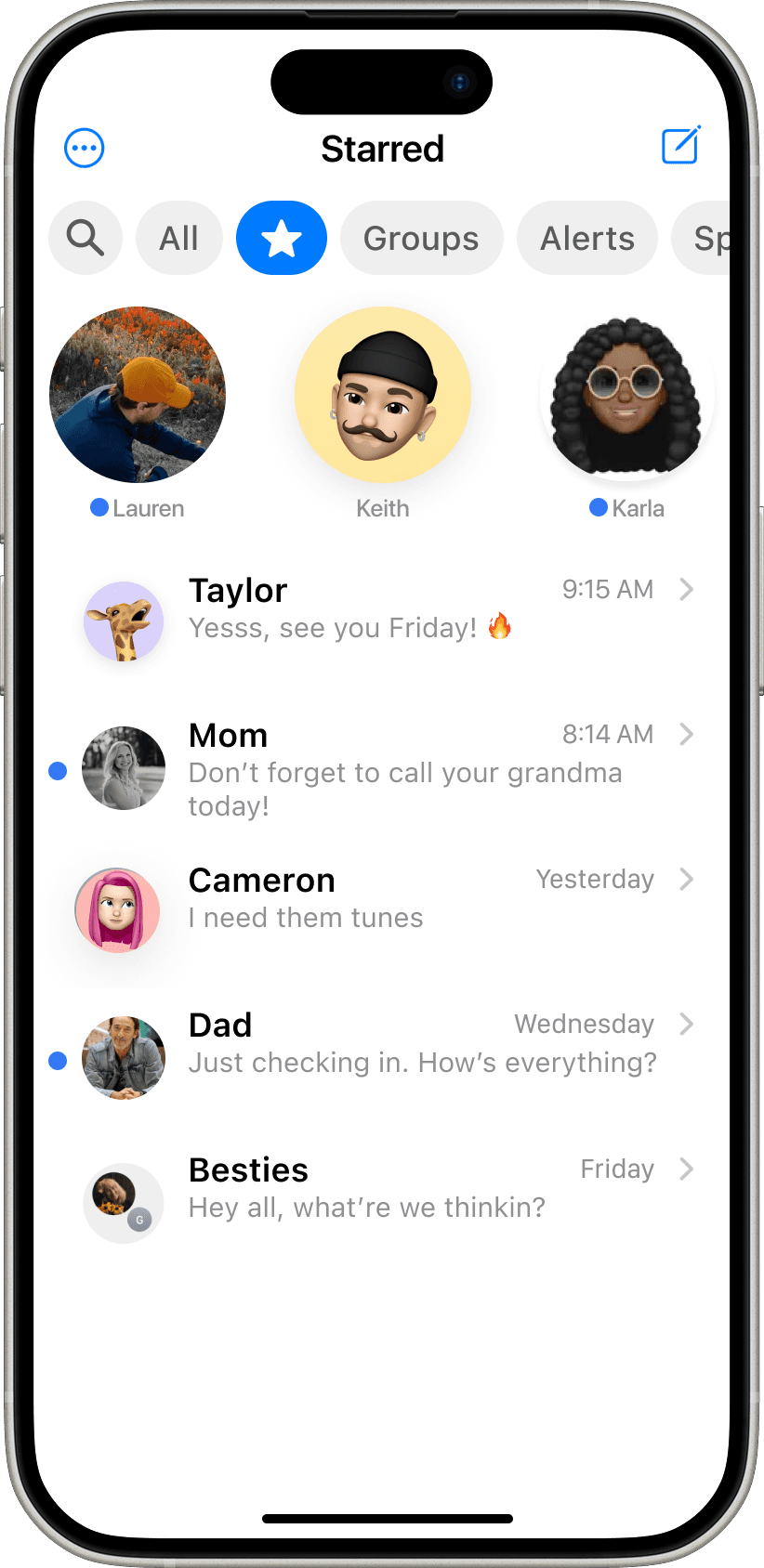
At-a-Glance
My team conducted research on iMessage, focusing on an opportunity area: Gen Z.
We discovered that Gen Z suffers from:
(1) A bombarded + unorganized message list and (2) They have significant difficulty finding past messages
Initial prototypes were highly effective in alleviating Gen Z's cognitive load.
Presented final strategy report, adivsing… further research advised.
My role
UXR + D
Timeline
3 months, 2025
Context
HCID MS Project
Tools




Apple’s Messages app, often known as iMessage, is a core staple of the Iphone experience. At launch in 2011, it had near monopoly on text communication

...but there are new players in the game. The messaging market is more complex than ever.





On a team of three, I conducted UX research on iMessage with the guiding question:
How can iMessage evolve to meet the dynamic needs of Gen Z?

Why Gen Z? Because they:
Prefer texting over all communication forms
Source
Are highly active texters
Source
Will happily switch apps for better usability
Source
Comprehensive research to explore Gen Z's experience through multiple lenes
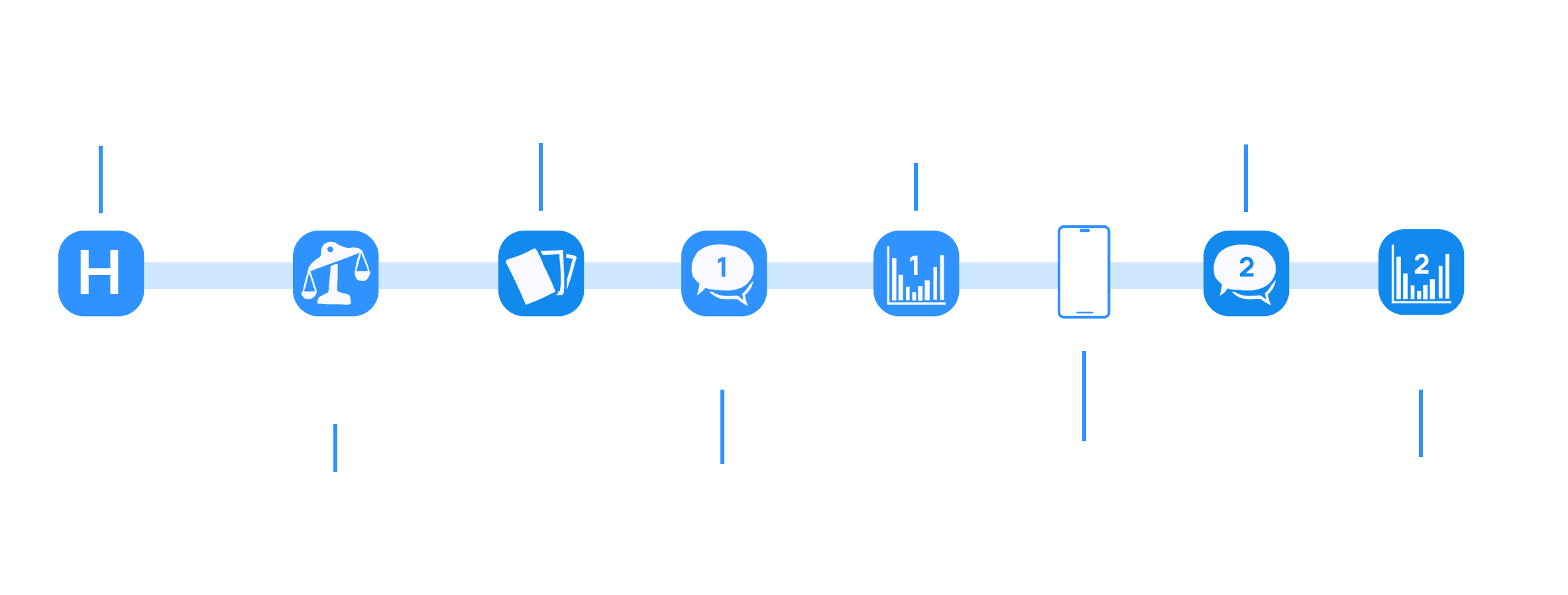
Comprehensive research to explore Gen Z's experience through multiple lenes
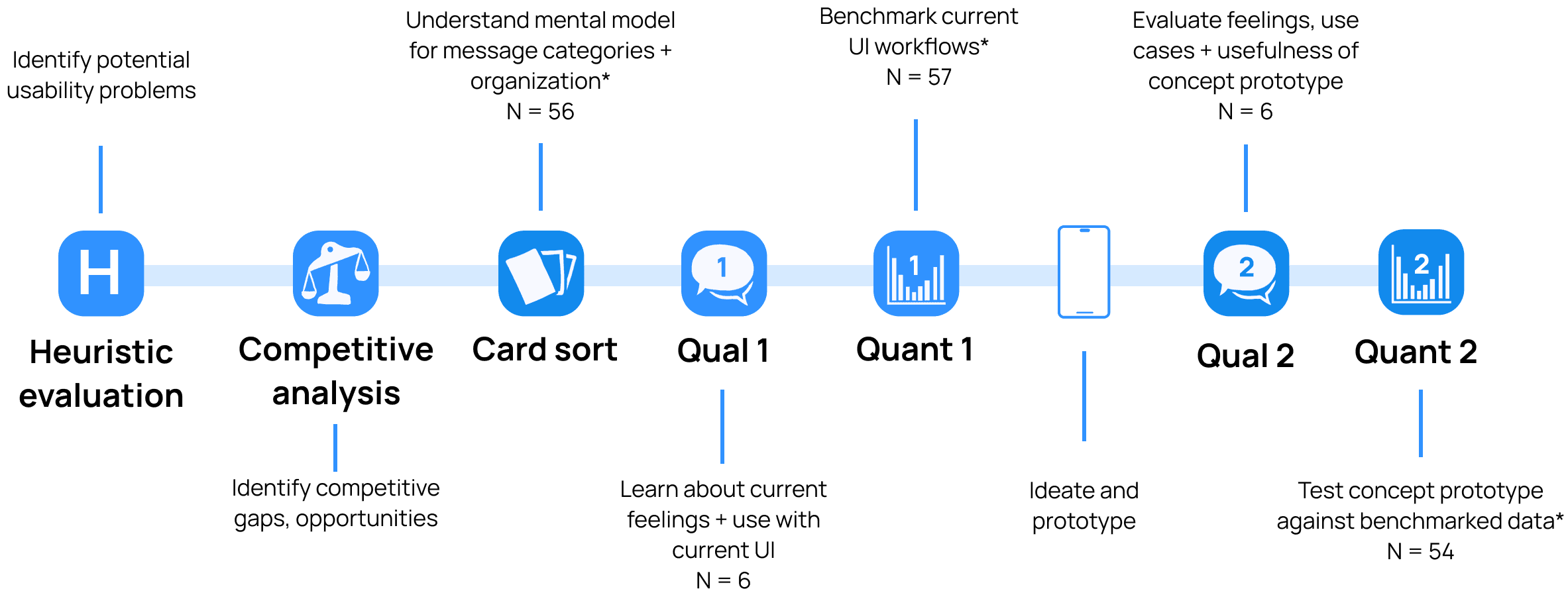

By initially cross-referencing usability issues with industry trends
I identified high-impact opportunity areas to focus research efforts
Personalized Organization
Due to their preference for texting over all else, Gen Z receives a wide variety of texts
Non-linear communication
Messaging is no longer linear. Gen Z expects to refer and reply to old messages with ease
Multi-media handling
They text in more than just letters, and use photos, GIFs, audio, emojis, video and more
Further research into these areas led to two key discoveries
Discovery 1
Gen Z suffers from a
Bombarded + unorganized message list
Discovery 1
Gen Z suffers from a
Bombarded + unorganized message list
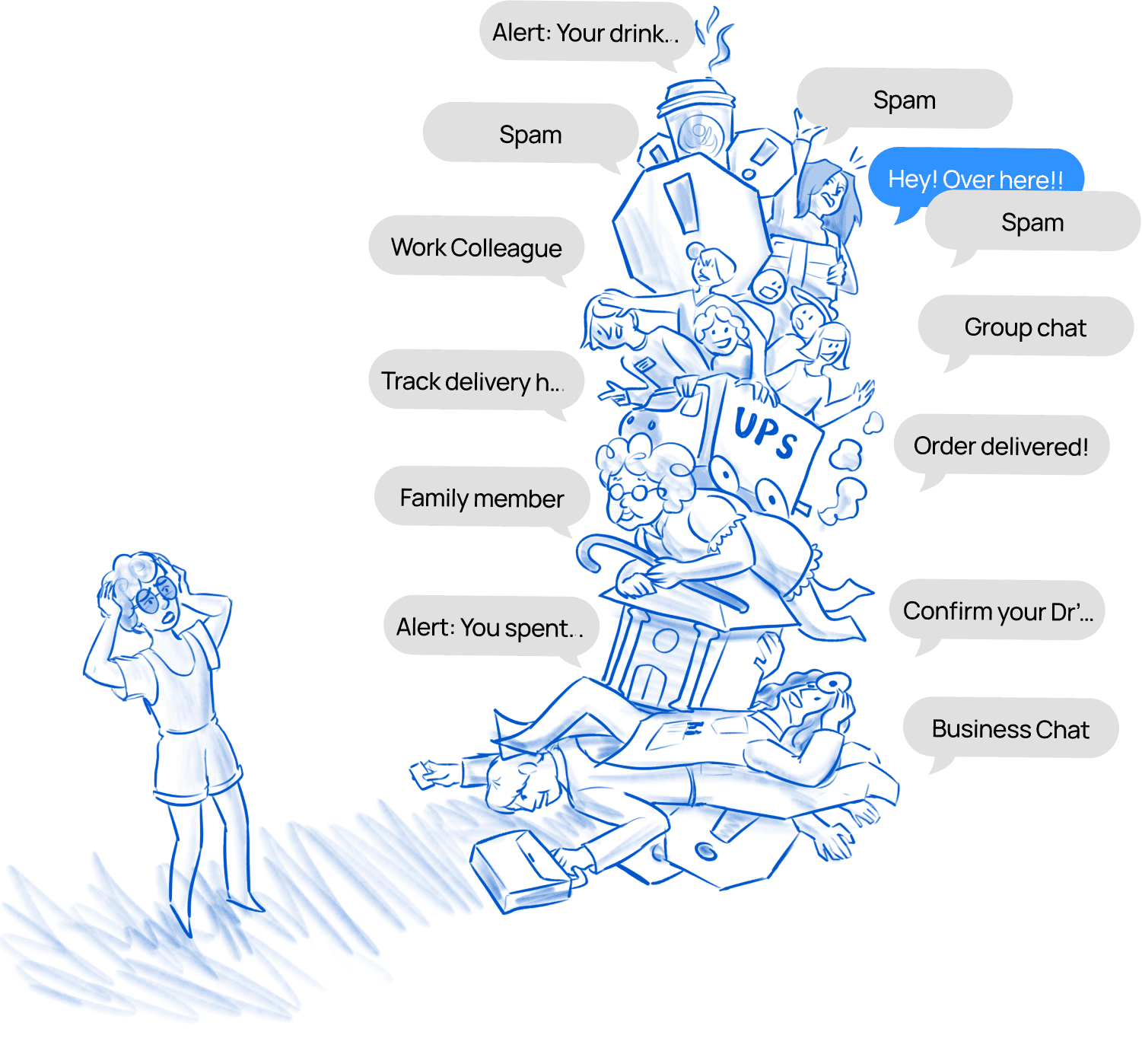
Discovery 1
Gen Z suffers from a
Bombarded + unorganized message list
High variety of texts with few ways to organize is overwhelming and stressful for users
Data behind the discovery
In the open Card Sort, users categorized messages in much more nuanced groups than currently avaliable.
Additionally, user’s categories indicated emotional overwhelm around the management of their messages. Further testing (Qual and Quant) validated this.
30% have 50+ unread text messages
46% frequently receive spam
“My favorites are at the top…other messages kind of get lost.”
32% agree or strongly agree that they delay responding to texts
The unorganized message inbox stresses people out, and current filters aren’t helping
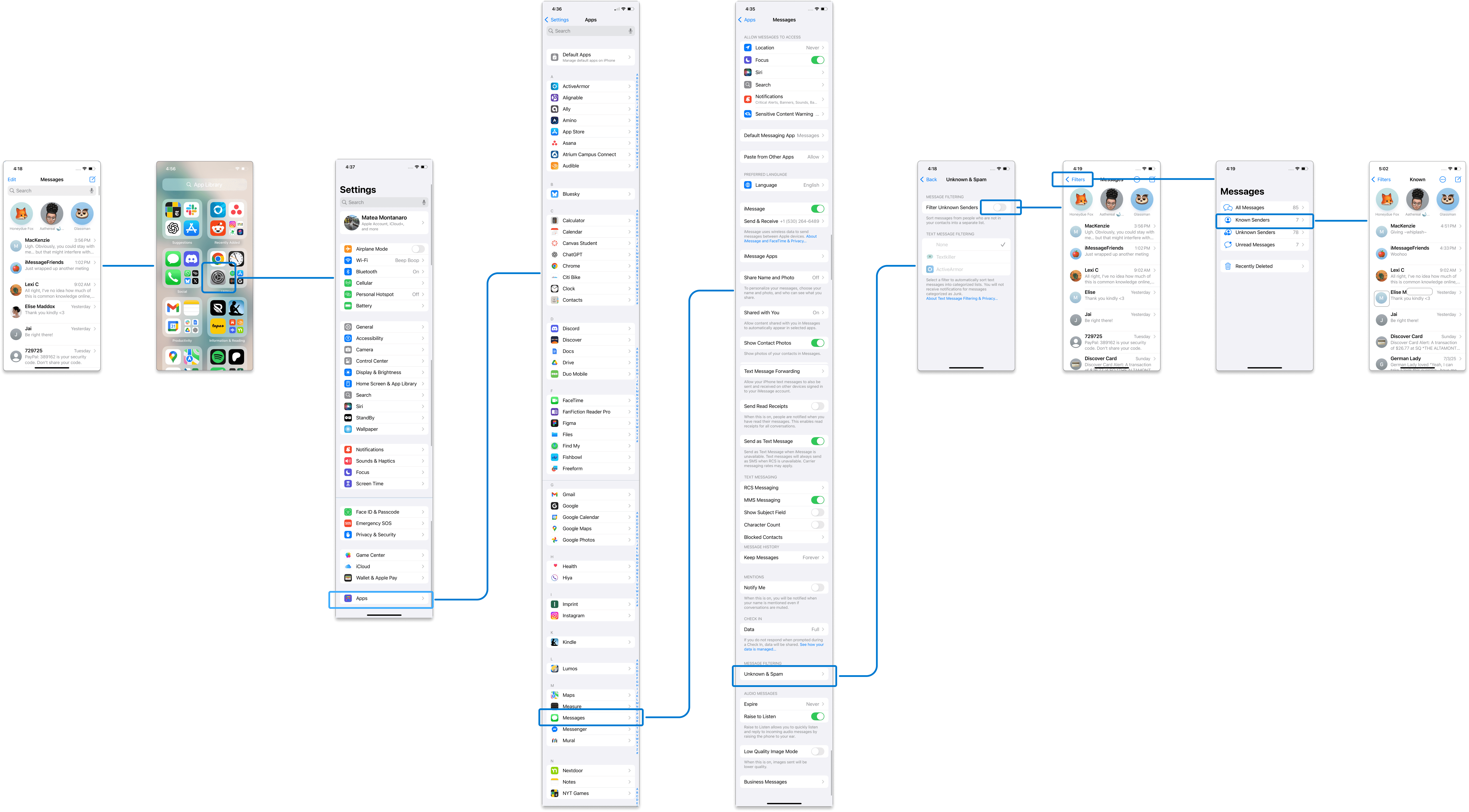
Current filters
are hidden in IOS settings and force users to exit the message inbox
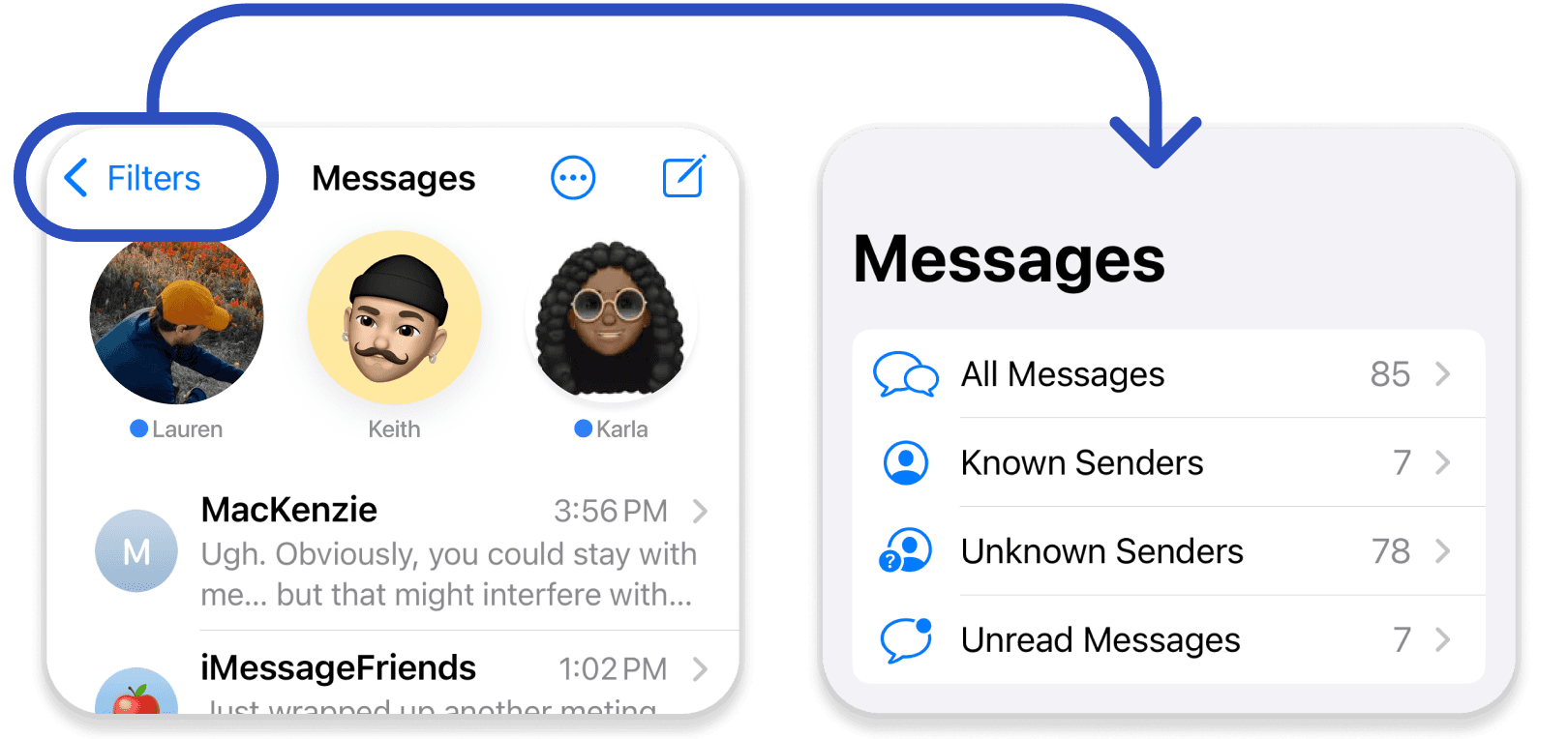
Filter categories
do not align with how users grouped messages in the card sort
Pre-exisitng UI
So, let's problem-solve
Discovery 1
Prototyped solutions
All
Groups
Alerts
Unknown
Unread
Spam
A. Customizable Filterbar
All
Groups
Alerts
Spam
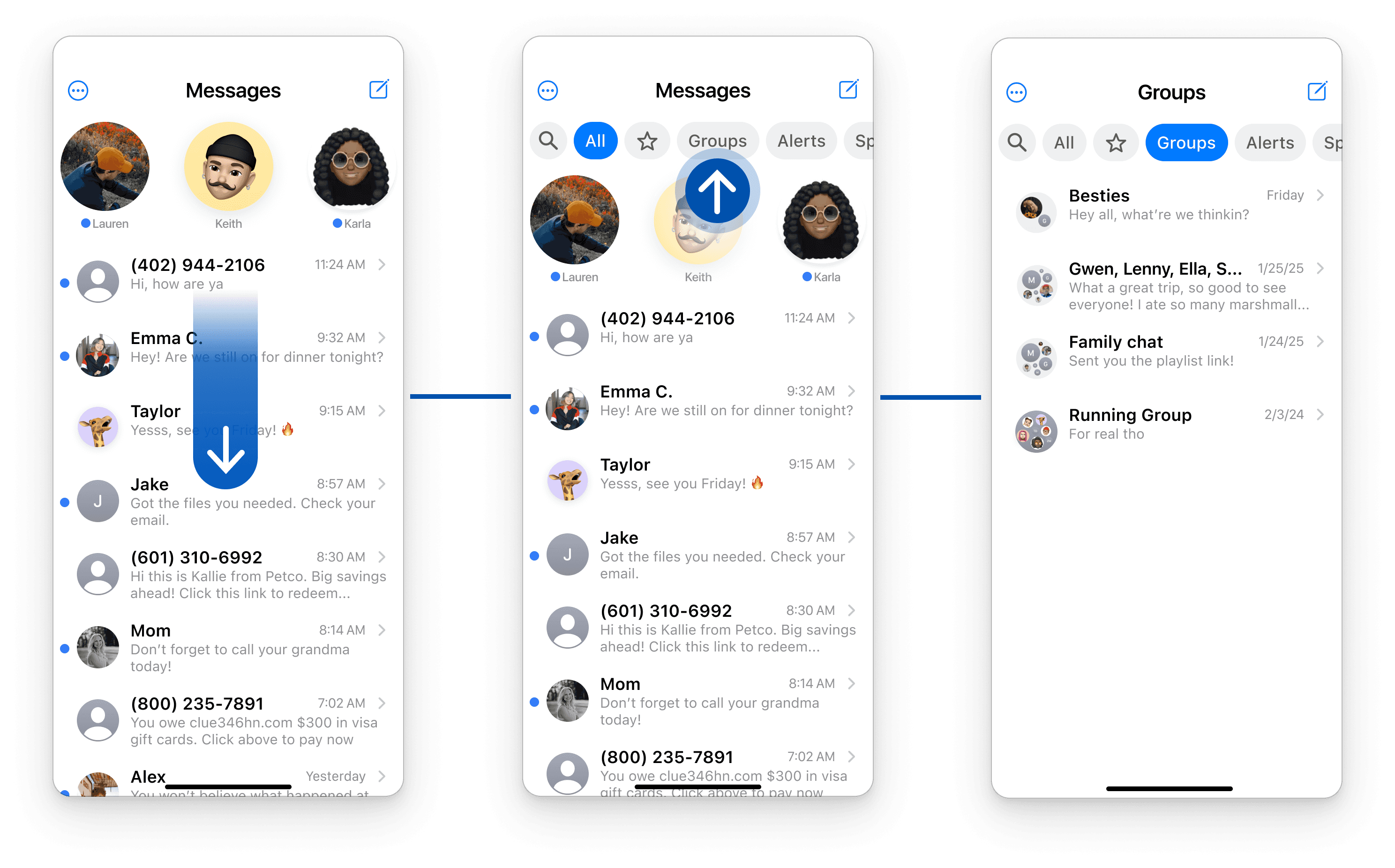
Filterbar
New filters were placed at the top of the message inbox as a horizontal tabs
Filter Categories
Were aligned to user preferences based on mental models in card sort
Fliterbar category origin data
B. New Message Settings
All
Groups
Alerts
Unknown
Unread
Spam
New settings
Accessible via (+) on Filterbar. Allows more modification including editing Starred and specialized Spam sorting
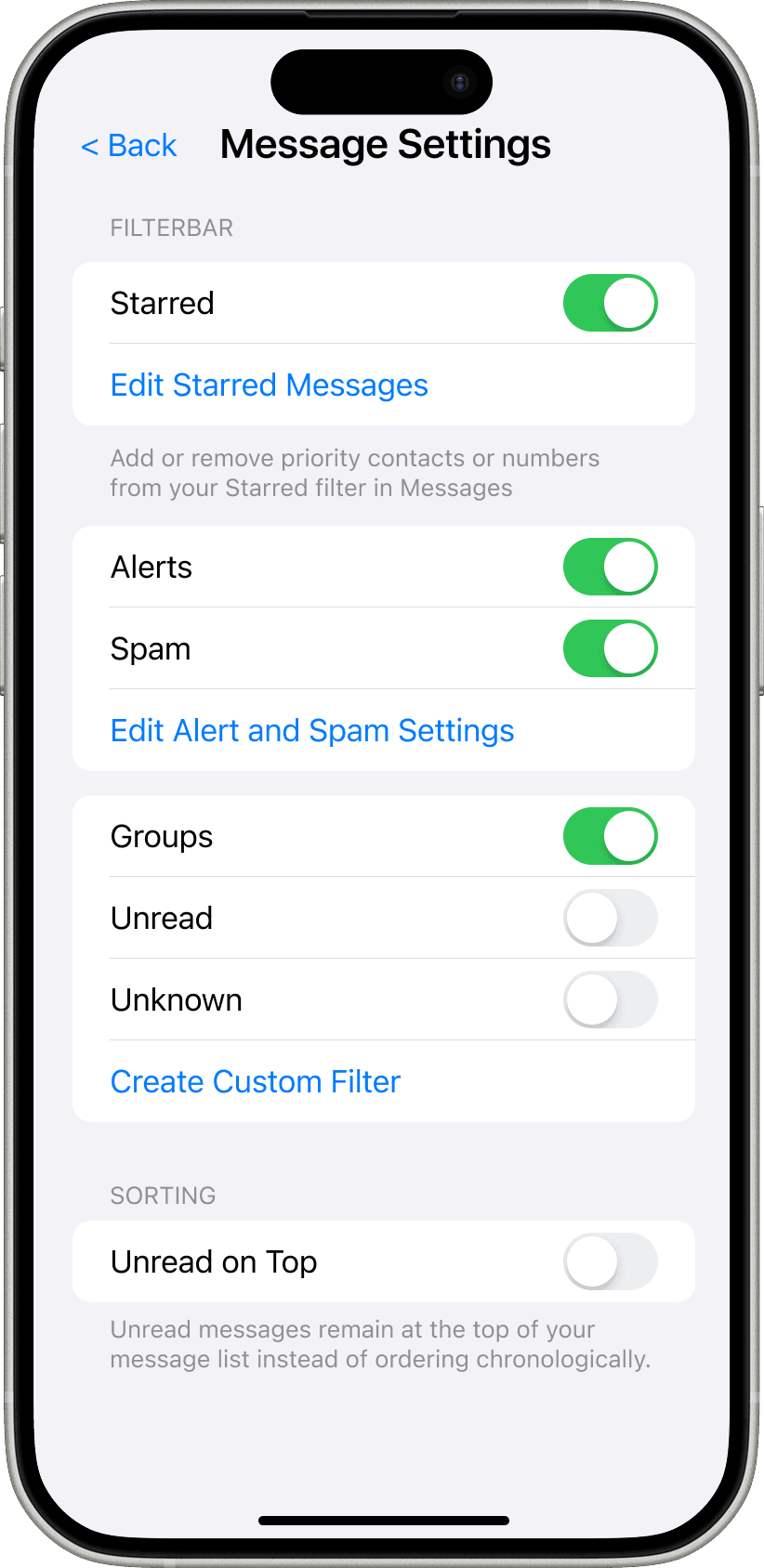
Customization
Filters can be toggled ON/OFF in settings
Create your own
Since user preferences exceeded expectations, we included the ability to create custom filters
Filterbar usability improvements
Compared to Benchmark, the Filterbar had the following improvements for the flow: Finding a groupchat
+14%
increase in success rate
-11%
decrease in time on task
-10%
decrease in missclicks
Discovery 2
Gen Z has significant
Difficulty finding past messages
Inability to locate past messages frustrates users and forces them to use work-arounds to save chat content

Discovery 2
Gen Z has significant
Difficulty finding past messages

Discovery 2
Gen Z has significant
Difficulty finding past messages
Discovery 2
Gen Z has significant
Difficulty finding past messages
Discovery 2
Gen Z has significant difficulty finding past messages
Inability to locate past messages frustrates users and forces them to use work-arounds to save chat content
There are three ways to locate a past message, but none fully meet user needs
Scroll
Global Search
Chat Details
Gen Z loves Chat Details, but it's still not perfect

Pros
Accessible within chat, and makes finding media a breeze
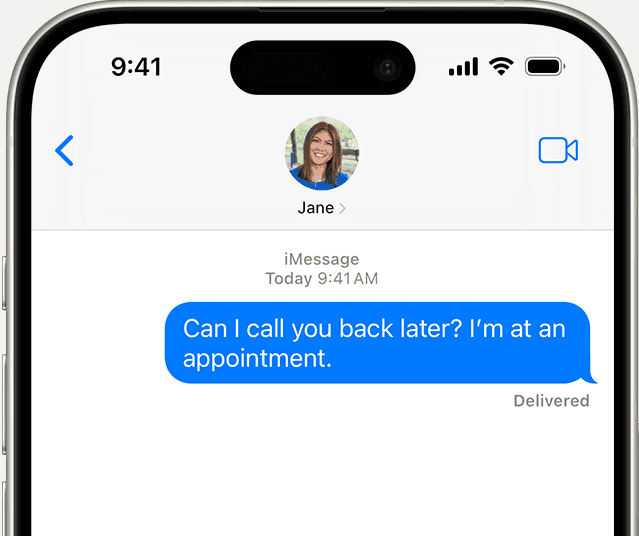

Cons
Restricted to specific media types. Users must still use global keyword search to find texts

Work around
50% of Qual 2 users screenshot messages, because finding them again in Photos is easier
Verdict: Users need a way to locate text messages with the same ease they find media in Chat Details
Discovery 2
Prototyped solutions


Reduced frustration around message retrieval by incorporating message Save and Search features directly within Chat Details
C. Save Messages
New feature allows users to save ANY message including texts
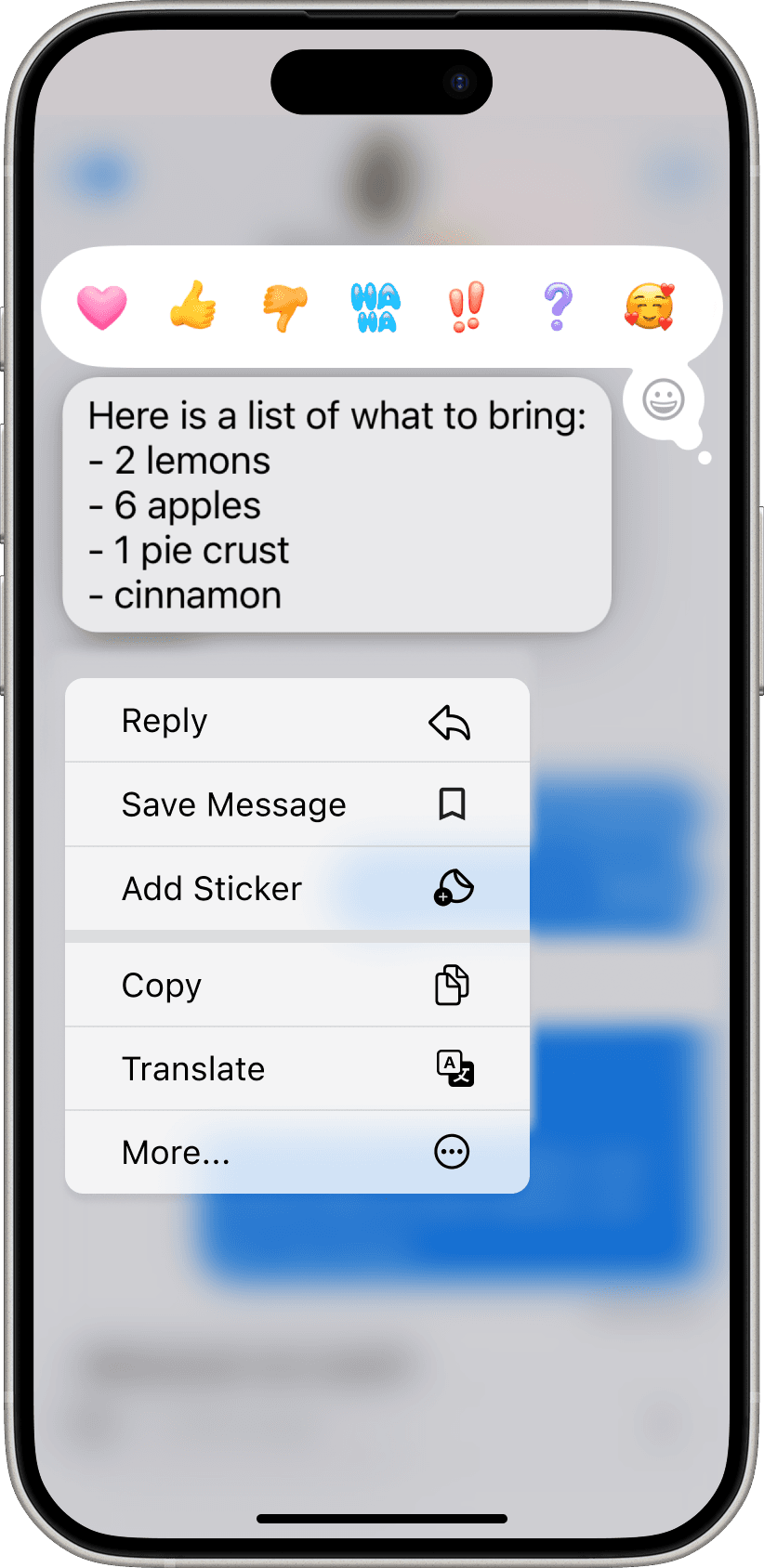
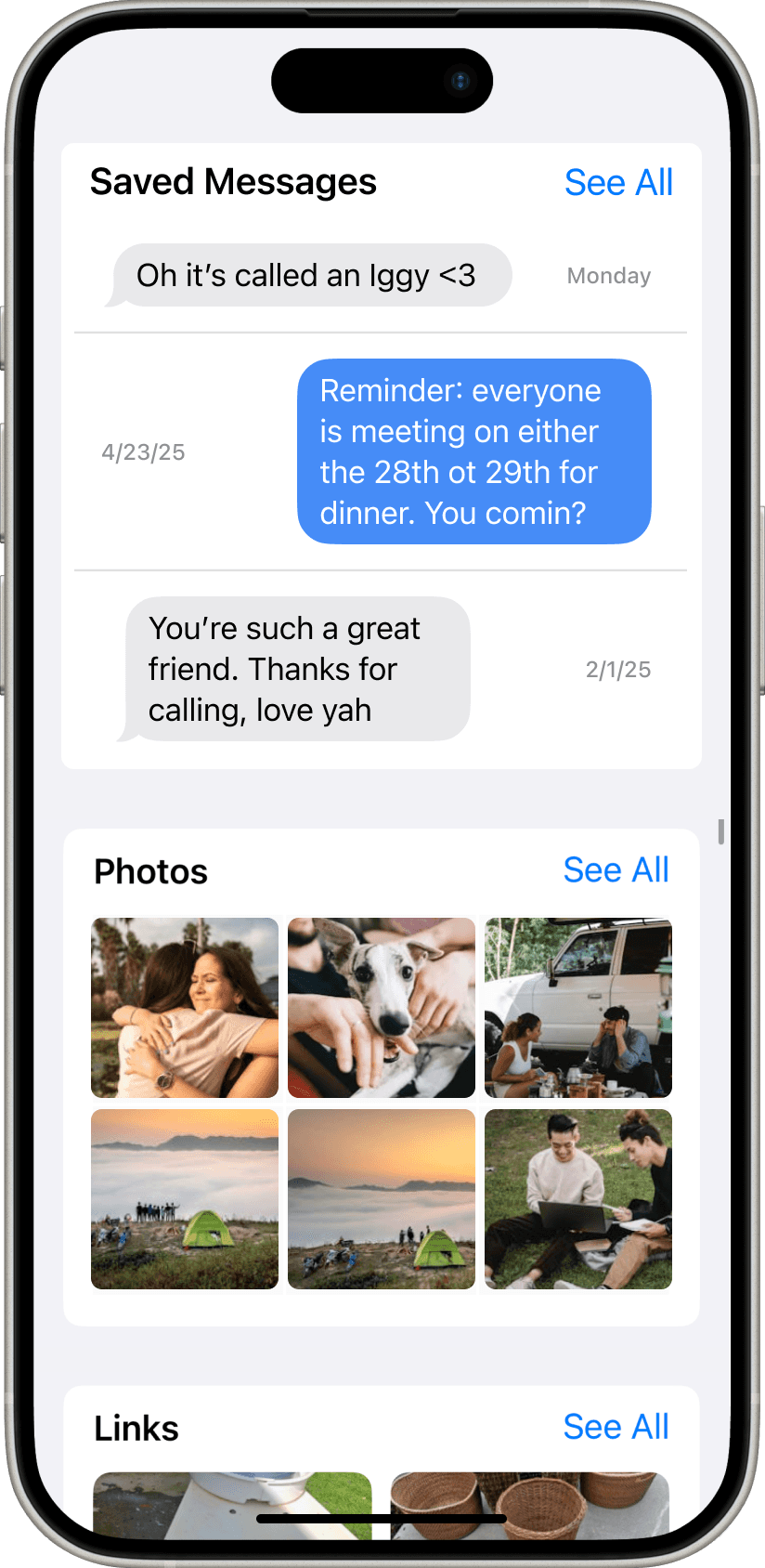
These messages are then avaliable in user’s favorite place: The Chat Details
One user had two ideas of how they would employ this:
“I think just when my boyfriend says really sweet things, that's one time where it would be really helpful…"


...Also if someone says something during an argument and you're feeling petty and don't wanna forget.”
D. In-chat search


Users can now access Search within Chat Details
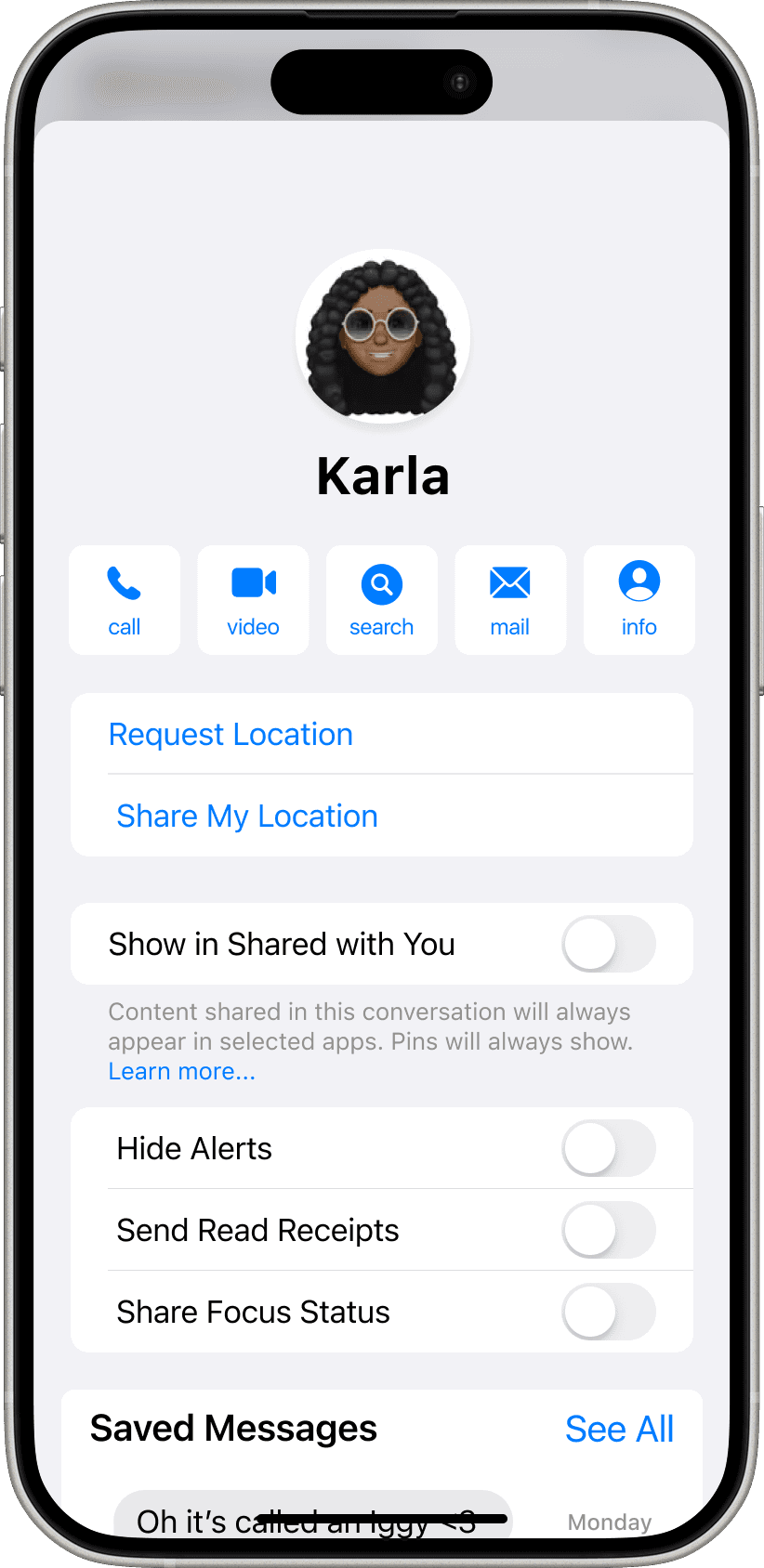
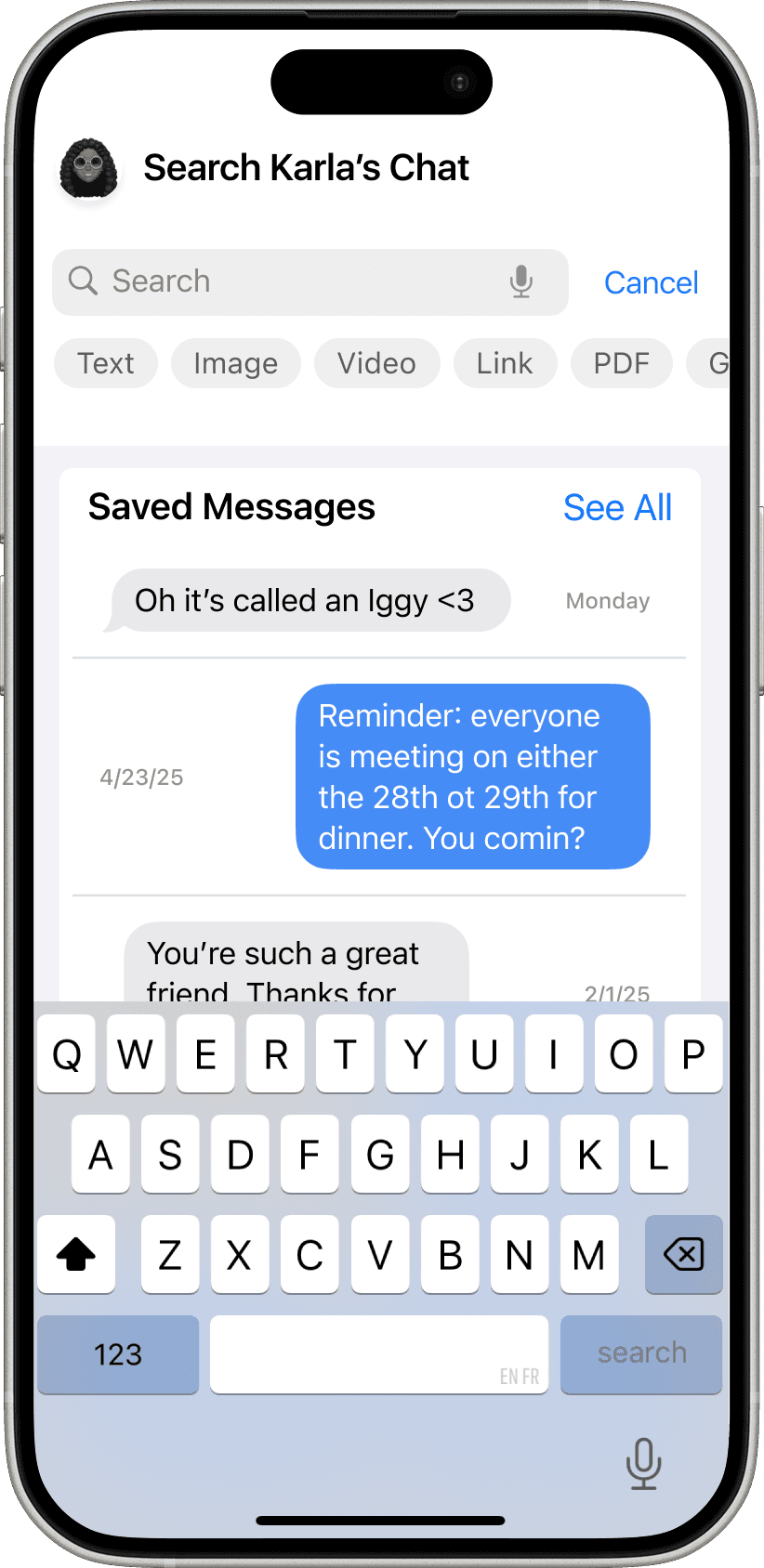
Clear search tags reduce need for keyword recall, and streamline message location
User feedback was overwhelmingly positive for Save + In-Chat Search
With the right strategy, iMessage can reaffirm its place in Apple’s innovative technology suite
Hover
Overall
Discovery 1
Discovery 2
To remain relevant, iMessage should support these high-impact opportunity areas
Personalized organization
Provide ways to allow users to personalize the way they filter and sort their messages, and further organize their inbox
Non-linear communication
Continue to develop methods of dynamic and non-linear communication
Multi-media handling
Increase users ability to send and receive multi-media messages
Post-project reflections + updates (WIP)
Limitations
IMessage is unique to the individual, so conducting testing via a faux interface is one step removed from reality
Though the prototype worked similarly to the real interface, not every function was perfectly duplicated, which adds inaccuracy to the data
Updates
In the months proceeding this research, Apple implemented multiple changes that aligned with out focus areas, including increasing Personalization of Chats, and expanding their Multi-media offerings to include additional emoji functions
Other Projects
Coming soon ~

Site built by me © 2026 Matea Montanaro. All rights reserved.